
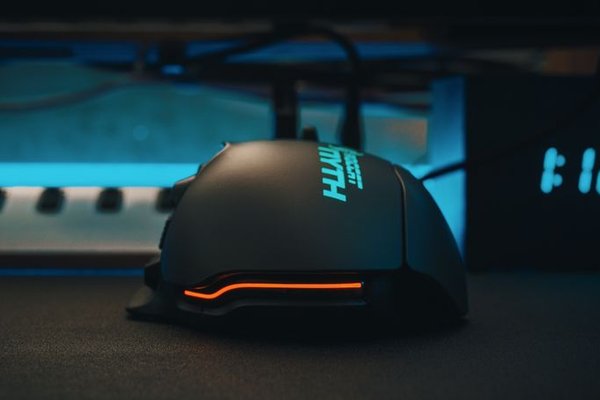
The old advice was simple: choose wired for speed and wireless for convenience. That rule no longer holds up. Modern 2.4 GHz wireless gaming mice can deliver response times fast enough for competitive play, while lighter batteries and more efficient sensors have reduced the compromises that once made wireless models feel heavy or unreliable. The real choice now is less about raw performance and more about cable freedom, charging, weight, price, and long-term simplicity.
Latency: Is Wired Still Faster?
Gaming mouse latency used to be the strongest argument for staying wired. A cable gives the mouse a direct connection to the PC, while wireless has to transmit data over a radio link. In practice, high-performance 2.4 GHz wireless technology has narrowed that gap dramatically. Major gaming brands now build wireless mice specifically for competitive play, with fast report rates and low-latency connections intended for esports-level use.
That does not mean every wireless connection is equally suitable. Bluetooth is usually designed more for convenience and battery efficiency than fast competitive response. If performance matters, use the dedicated 2.4 GHz receiver supplied with the mouse and keep it reasonably close to the mouse pad.
For most players, sensor quality, click feel, shape, weight, and consistency matter more than the small connection difference between good wired and 2.4 GHz wireless models.
Freedom of Movement and Cable Drag
The biggest advantage of wireless is physical rather than technical. Without a cable, there is nothing pulling against the front of the mouse, catching on a monitor stand, or changing resistance during a long swipe. That is especially noticeable for low-sensitivity FPS players who use a large mouse pad and move their whole arm.
Imagine playing Counter-Strike or Valorant with a sensitivity that requires a wide sweep for a quick turn. A well-routed cable can feel perfectly fine, but a cable rubbing against the desk edge can create inconsistent resistance. Wireless removes that variable completely.
Weight Is No Longer a Simple Wired Advantage
Wireless mice once carried a clear weight penalty because of batteries and extra electronics. That is no longer universally true. Many current wireless gaming mice are extremely light, while some wired models are heavier because of shell design, extra buttons, or internal construction.
Do not choose based on connection type alone. Compare the actual weight and shape of the models you are considering. Competitive FPS players often prefer lighter mice for quick direction changes, while MMO or productivity-focused users may accept more weight for extra buttons, a larger shell, or longer battery life.
Shape still matters more than a few grams. A very light mouse that forces your hand into an awkward grip can be worse than a slightly heavier model that fits naturally.
Battery Life and Charging
Gaming mouse battery life varies by model, polling rate, lighting, sensor settings, and daily use. Some wireless mice can run for many days or weeks between charges under typical conditions, while higher polling settings and RGB lighting can reduce runtime.
The easiest approach is to charge on a schedule instead of waiting for a warning. Plug the mouse in once a week while you are away from the PC. Many rechargeable gaming mice can also operate while connected by cable, so a low battery does not necessarily stop a gaming session.
A wired gaming mouse has the obvious advantage here: no battery, no charging routine, and no battery capacity to degrade over time. If you keep hardware for years and want the fewest maintenance points, wired is attractive.
Reliability and Interference
Wired connections are straightforward. If the cable and USB port are healthy, the connection is generally predictable. Wireless adds a receiver, radio environment, and battery to the chain, so there are more variables even when the mouse is well designed.
In a normal home setup, a good 2.4 GHz mouse should be reliable when the receiver is positioned properly. Problems are more likely if the receiver is hidden behind a metal PC case, placed far away, or crowded by other wireless devices. Using an extension adapter to bring the receiver closer to the mouse pad can help.
Price and Overall Value
Wired models often offer strong gaming performance for less money because they do not need a battery or proprietary wireless hardware. That makes them appealing when you are building a PC on a fixed budget and would rather spend extra on a better monitor, GPU, or headset.
Wireless often costs more, but the premium buys convenience you can feel every time you move the mouse. If a clean desk and unrestricted movement matter to you, the extra cost may be worthwhile. If your cable already stays out of the way, the same money may deliver more value elsewhere.
Natural internal linking opportunities include gaming mouse shape and grip guide, best mouse DPI settings for gaming, and gaming monitor refresh rate guide.
Which Type Should You Choose?
Choose a wired gaming mouse if:
You want strong performance at a lower price, never want to think about charging, keep your setup in one place, or are happy to manage the cable with a bungee or careful routing.
Choose a wireless gaming mouse if:
You value unrestricted movement, use low sensitivity with large swipes, prefer a cleaner desk, travel with your setup, or simply dislike feeling a cable during play. For competitive gaming, prioritize a dedicated low-latency 2.4 GHz mode rather than Bluetooth.
A useful middle ground is a wireless model that also works by cable while charging.
FAQ
Is a wireless gaming mouse good enough for competitive gaming?
Yes. Modern performance-focused 2.4 GHz wireless gaming mice are designed for low latency and are used in competitive gaming. Model quality still matters, so do not assume every wireless mouse performs the same way.
Does a wired mouse have zero latency?
No. A wired connection removes the wireless transmission stage, but sensor processing, USB polling, the game, the display pipeline, and the monitor all contribute to total response time.
How often do wireless gaming mice need charging?
It depends on the model and settings. Battery capacity, polling rate, RGB lighting, and daily use all affect runtime. Check the specification for the exact mouse you are considering.
Is wired better for long-term ownership?
It can be. A wired mouse avoids battery ageing entirely. A wireless mouse may still last for years, but rechargeable batteries gradually lose capacity, which can mean more frequent charging later.
Conclusion
The wired vs wireless gaming mouse decision is no longer a simple choice between speed and convenience. A good wired mouse remains affordable, dependable, and maintenance-free, while modern wireless models can deliver competitive responsiveness with better freedom of movement. Start with shape and weight, then decide whether eliminating the cable is worth the extra cost and charging responsibility. For many players, wireless is now the more comfortable premium choice; for budget-conscious or set-it-and-forget-it setups, wired still makes complete sense.