There’s something quietly satisfying about running your own server at home. It starts as curiosity—maybe you want a place to store files, stream media, or experiment with new tech—and slowly turns into a practical tool you rely on every day. Learning how to set up a home server isn’t just about hardware or software; it’s about building a system that works for your needs and grows with you.
The good news is that it’s far more accessible than it once was. You don’t need a rack of enterprise equipment or a degree in networking. With a bit of planning and patience, you can create a reliable home server that feels surprisingly professional.
Understanding What a Home Server Actually Does
Before diving into cables and configurations, it helps to step back and ask what a home server is meant to do. At its core, a home server is simply a computer that provides services to other devices on your network.
That might mean storing files so you can access them from anywhere in your home. It might mean hosting a personal media library, backing up important data, or even running small applications. Some people use home servers for learning—testing operating systems, hosting websites, or experimenting with automation.
The purpose you choose shapes everything else. A lightweight file server requires different resources than a media server or a virtualization setup. So the first real step in learning how to set up a home server is deciding what role it will play.
Choosing the Right Hardware Without Overthinking It
There’s a temptation to overbuild from the start, especially when reading online discussions filled with powerful setups. In reality, most home servers begin with modest hardware.
An old desktop computer often works perfectly well. If it still powers on and has a decent processor and a few gigabytes of RAM, you’re already halfway there. Laptops can even be repurposed, though their cooling and upgrade limitations can become noticeable over time.
Storage matters more than raw processing power for many setups. If you’re planning to store media or backups, investing in reliable hard drives is worth it. Solid-state drives can improve performance, especially for the operating system, but they’re not always necessary for bulk storage.
Noise, power consumption, and physical space also play a role. A home server tends to run continuously, so a quiet, energy-efficient machine quickly becomes more appealing than a loud, power-hungry one.
Selecting an Operating System That Fits Your Comfort Level
Once the hardware is sorted, the next step in how to set up a home server is choosing an operating system. This decision often shapes your entire experience.
For those comfortable with command-line environments, a Linux-based system like Ubuntu Server or Debian offers flexibility and control. These systems are stable, widely supported, and capable of running nearly any server application you might need.
If you prefer a more visual interface, there are user-friendly options designed specifically for home servers. Platforms like TrueNAS or Unraid provide dashboards that simplify storage management and service setup. They remove much of the complexity while still offering powerful features under the hood.
Windows can also be used, particularly if you’re already familiar with it. While it may not be as lightweight or customizable as Linux, it can still function well for basic tasks like file sharing and backups.
The key is choosing something you’re willing to learn and maintain. A slightly less powerful system you understand is far more useful than a complex one you avoid touching.
Preparing Your Network for a Stable Setup
A home server is only as reliable as the network it runs on. Stability matters more than speed in most cases.
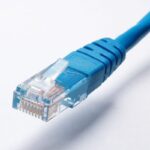
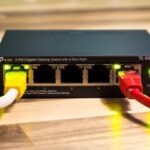
Connecting your server directly to your router using an Ethernet cable is one of the simplest ways to improve performance. Wireless connections can work, but they introduce variability that becomes frustrating over time.
Assigning a static IP address to your server ensures that other devices can always find it. Without this step, your router might assign a different address each time the server restarts, breaking connections unexpectedly.
Port forwarding becomes relevant if you plan to access your server from outside your home. This allows external requests to reach your server through your router. It’s a powerful feature, but it also introduces security considerations, so it should be handled carefully.
Installing and Configuring Core Services
With the system running and connected, the real personality of your home server begins to take shape. This is where you install the services that define its purpose.
File sharing is often the starting point. Setting up network shares allows you to access files from your laptop, phone, or other devices. Protocols like SMB or NFS make this process seamless once configured.
Media servers are another common choice. Software like Plex or Jellyfin can transform your server into a personal streaming platform, organizing your content and making it accessible across devices.
Backup services add another layer of value. Automating backups from your main computer to your server ensures that important files are protected without requiring constant attention.
Some users go further, hosting personal websites, running databases, or experimenting with containers and virtual machines. These additions can be introduced gradually as your confidence grows.
Thinking About Security From the Start
Security often feels like something to worry about later, but it’s far easier to build it into your setup from the beginning.
Strong passwords are a basic requirement, but they’re only part of the picture. Keeping your system updated ensures that known vulnerabilities are patched promptly.
Firewalls help control which connections are allowed, reducing unnecessary exposure. If you plan to access your server remotely, using secure methods like VPNs adds an extra layer of protection.
It’s easy to overlook these details when everything is working smoothly. But a home server, especially one connected to the internet, deserves the same level of care as any other device that handles personal data.
Managing Storage and Planning for Growth
One of the subtle challenges in learning how to set up a home server is thinking ahead. Storage needs tend to grow faster than expected.
Starting with a single drive is fine, but considering how you might expand later can save time and effort. RAID configurations or pooled storage systems provide redundancy and flexibility, though they require a bit more planning.
Backups remain essential even with redundancy. A RAID setup can protect against hardware failure, but it doesn’t replace the need for separate backups in case of accidental deletion or corruption.
As your server evolves, you may find yourself adding new drives, reorganizing data, or upgrading components. This ongoing process is part of the experience rather than a one-time task.
Monitoring Performance and Keeping Things Running Smoothly
Once your server is up and running, it’s easy to forget about it—until something goes wrong. Regular monitoring helps prevent small issues from becoming bigger problems.
Checking system logs occasionally can reveal errors or warnings that might otherwise go unnoticed. Monitoring resource usage, such as CPU and memory, provides insight into how your server is handling its workload.
Temperature is another factor worth keeping an eye on, especially in warmer environments. Proper airflow and cooling can extend the lifespan of your hardware significantly.
Maintenance doesn’t need to be constant, but a little attention now and then keeps everything running reliably.
Embracing the Learning Curve
Setting up a home server is rarely a perfectly smooth process. There are moments of confusion, small mistakes, and occasional frustrations.
Yet those moments are often where the real learning happens. Each problem solved adds to your understanding, making future adjustments easier and more intuitive.
The process becomes less about following instructions and more about building something that feels personal. Over time, your server reflects your preferences, habits, and curiosity.
Conclusion
Learning how to set up a home server is less about technical perfection and more about creating something useful and adaptable. It begins with a simple idea—repurposing a computer—and gradually turns into a system that supports your daily digital life.
There’s no single “correct” way to do it. Some setups remain minimal, quietly handling backups and storage. Others grow into complex environments filled with services and experiments. Both are valid, and both serve a purpose.
In the end, a home server isn’t just a piece of technology sitting in a corner. It’s a small, evolving project that rewards patience, curiosity, and a willingness to learn as you go.